By SVZ · Guidance checked October 21, 2026
Short answer
The eMudhra incident concerns compromised certificate-authority keys, not a flaw confined to one website builder. Website teams should ask their hosting provider to verify the certificate chain they serve, while application and infrastructure owners check how their software receives trust-store and revocation updates. Moving to Webflow does not, by itself, eliminate this kind of Internet-wide trust risk.
The practical case for managed hosting is clearer responsibility and fewer certificate-maintenance tasks for your team. It is not immunity. Before changing platforms or replacing certificates, establish what your own environment needs from the current vendor advisories.
The 48-second overview
Sound-off explainer with a written transcript below.
Video transcript: Your homepage loads. That is not the whole check. Verify the chain your site serves and the trust your systems use. The incident involves six TLS-issuing CAs and two code-signing CAs with different constraints. Hosting or CDN owners check the served certificate chain. Application or platform owners check trust stores and revocation updates. Ask for a named owner, current evidence, and verified customer journeys. Never bypass certificate verification to silence an error. Managed hosting reduces maintenance to coordinate; it is not immunity. Guidance checked October 21, 2026.
What happened to the eight certificates?
Mozilla says it received a report on October 17 that private keys associated with eight eMudhra intermediate certificates had been compromised. An intermediate certificate authorizes a certificate authority to issue other certificates. With a compromised issuing key, an attacker may be able to create fraudulent credentials for a website they do not control. Source: Mozilla’s incident update.
The count needs qualification: the Chrome Root Program identifies six TLS-issuing intermediate CAs and two code-signing CAs. Chrome says its certificate verification does not allow a TLS path through intermediates restricted to code signing. Calling all eight interchangeable “website certificates” loses that distinction. Source: Chrome Root Program’s response in the Mozilla policy discussion.
Mozilla describes the interception risk as an attacker impersonating a website after gaining the ability to intercept a user’s connection. This is not a finding that every encrypted connection was read, every affected customer was breached, or all certificate authorities are compromised.
What did browsers do?
Mozilla says it distributed its OneCRL blocklist update to Firefox users with standard configurations on October 17. That mechanism did not require a browser restart. It subsequently released Firefox updates for users whose settings could prevent receipt of the blocklist and an NSS trust-store update for other consumers of its certificate list.
The details continued to change. Mozilla’s October 21 update reports an additional Firefox for Android release, 158.0.2, addressing some clients not applying changes to the bundled blocklist immediately after startup. Follow the current Firefox release guidance rather than relying on an earlier screenshot of a version number. Source: Mozilla’s updated announcement.
Chrome says it blocked the public-key hashes of the six TLS-issuing intermediates using CRLSet on October 17. That covered the eMudhra certificates and cross-certificates sharing those keys. Chrome also explains the protection provided by its Certificate Transparency requirements and its planned upstream root-store change. Source: Chrome Root Program.
These are statements about specific browser mechanisms. They are not proof that every command-line tool, container, application runtime, or embedded device has received equivalent protection.
What should website owners check first?
Separate two jobs that often get bundled into “SSL is working.”
| Question |
What it concerns |
Who should answer |
| What certificate chain does our website serve? |
Your site acting as a TLS server |
Hosting/CDN provider or infrastructure owner |
| Which authorities does our software trust? |
Your systems acting as TLS clients |
Application, platform, or endpoint owner |
| How are revocations and trust changes delivered? |
Whether a client rejects an affected chain |
Browser, operating-system, runtime, or device vendor |
A website can present a certificate that loads normally in one browser while a server-side integration relies on a different trust store. Checking the homepage is useful, but it does not answer all three questions.
1. Get your served certificate chain verified
Ask your hosting or CDN provider whether the certificate chain currently serving your production domains is affected by the announced trust changes. Include important subdomains and secondary endpoints, not just www.
If a chain needs replacing, have the responsible provider follow the current CA and browser guidance. Do not infer that every certificate needs reissuing merely from the headline, and do not make an untested blanket trust-store change.
2. Check software that makes outbound connections
Inventory the systems that connect to external HTTPS services: form-processing backends, integrations, build tools, application runtimes, containers, and managed devices. Ask each owner how its trust store is maintained and whether relevant vendor updates have been applied.
Mozilla’s guidance distinguishes clients that reliably check current revocation information and fail closed, clients with a mechanism to distrust individual intermediates, and clients that may need a different trust-store response. Those are technical decisions for the responsible platform owner, not a universal copy-paste fix for every site. Source: Mozilla policy advisory.
3. Test important journeys after changes
Verify that lead forms still deliver, APIs still connect, and checkout or sign-in still works where applicable. A trust change can affect availability as well as security. Record what was tested, on which client or runtime, and when.
Never “fix” a resulting certificate error by turning off certificate verification. Escalate it to the responsible owner and resolve the chain or trust configuration.
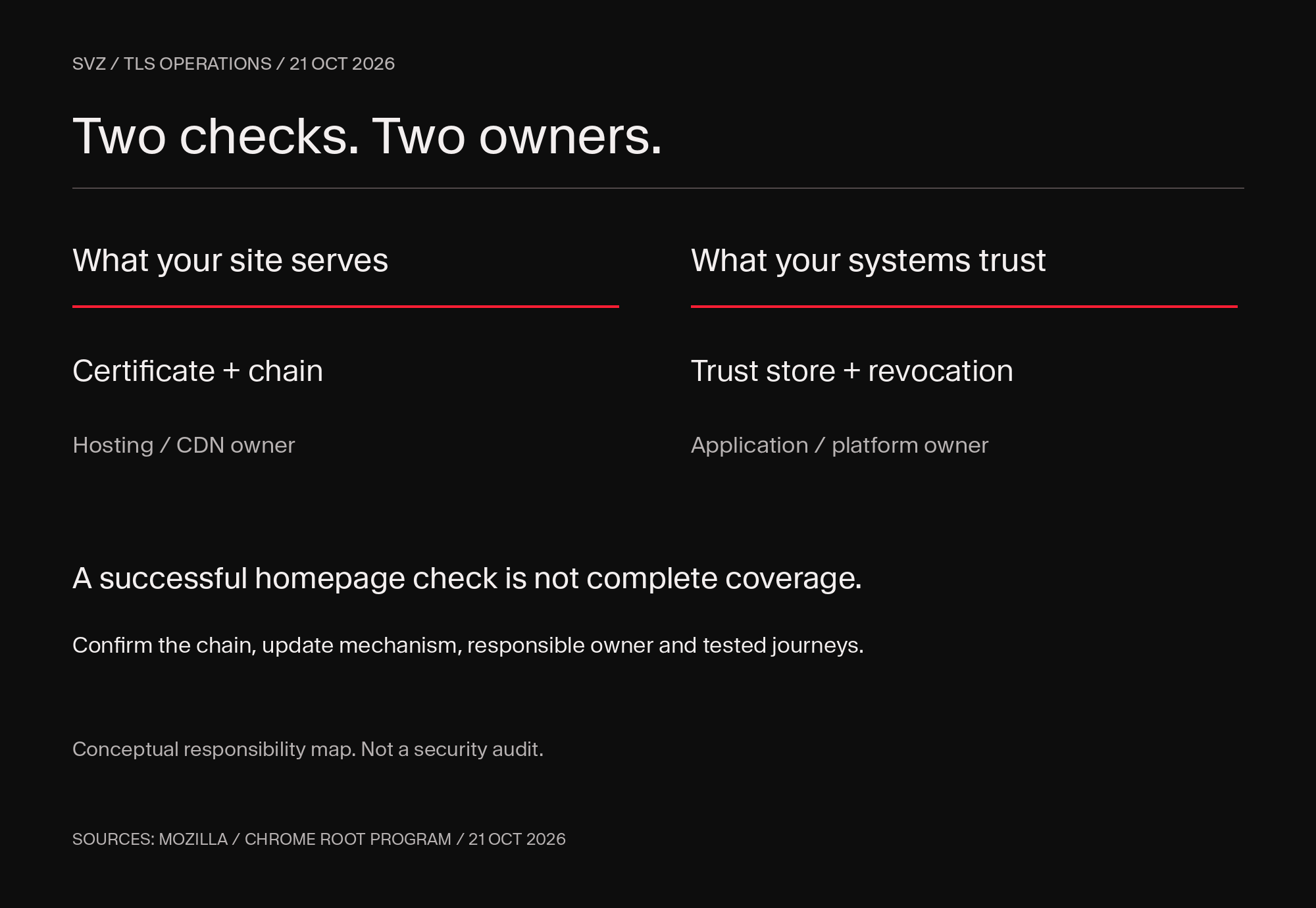 Conceptual TLS responsibility map: hosting or CDN owners verify the chain a website serves; application or platform owners verify trust stores and revocation updates.
A certificate-response record your team can use
A useful incident response produces evidence, not only reassurance. Keep one record per domain or client environment:
- Service and role: the domain or application, and whether it serves or validates TLS.
- Responsible owner: who can change the certificate, trust store, or deployment.
- Evidence: current served chain or trust-store package, plus the relevant vendor advisory.
- Action: what changed, why, and its completion time.
- Verification: the connection or customer journey tested, result, and verifier.
- Exceptions: unmaintained clients, unresolved errors, and the owner of each next step.
Use this record to coordinate the response across your hosting, application and platform owners.
Copy this to your hosting or infrastructure owner:
Please confirm whether our production domains or connected services are affected by the eMudhra intermediate-certificate incident and announced trust changes. For website endpoints, identify the served certificate chain and whether replacement is needed. For software making outbound TLS connections, identify the trust-store and revocation-update mechanism, applicable vendor updates, and verification performed. Please list any unresolved environments separately rather than treating a successful homepage check as complete coverage.
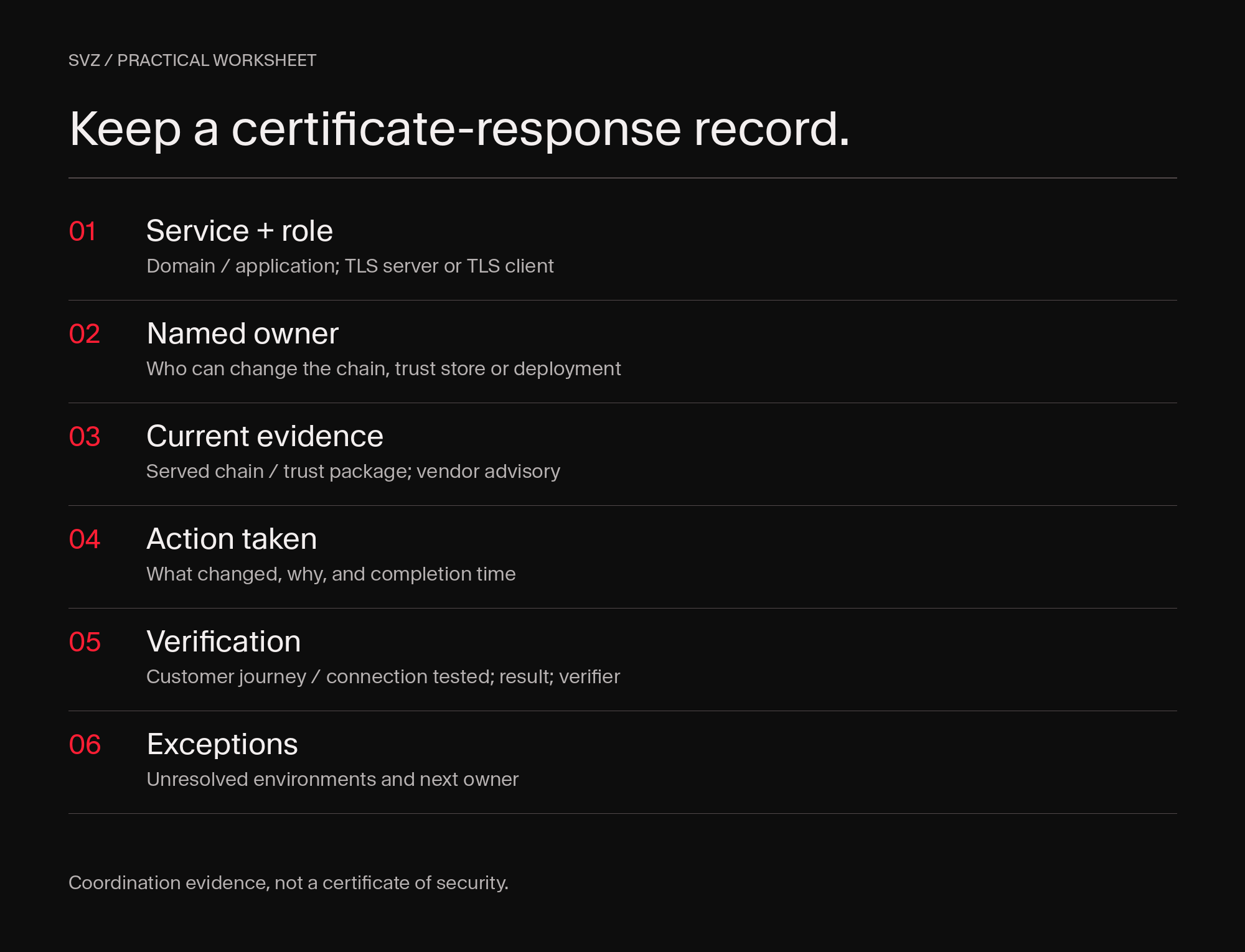 Six fields for a TLS response record: service and role, named owner, current evidence, action taken, verification, and exceptions.
Download the blank certificate-response worksheet (CSV)
Where Webflow helps, and where it does not
Webflow describes automatic SSL certificates, certificate renewal, HTTPS, and platform-managed security as part of its hosted offering. For a marketing website, that can reduce the number of certificate and hosting tasks your team coordinates directly. Source: Webflow security documentation.
It does not exempt Webflow from the web’s public-key infrastructure. Nor does it secure every external service attached to a Webflow front end. Custom backends, third-party integrations, employee devices, and application clients retain their own responsibilities.
For SVZ, the architectural lesson is to reduce unnecessary systems and make ownership explicit for the systems that remain. That is a stronger operating model than assuming a padlock, a security plugin, or a platform logo answers every security question.
Should this incident trigger a migration?
Not automatically. First resolve any immediate certificate-chain or trust-store issue. Then examine whether your marketing site is carrying avoidable maintenance work.
A migration assessment is worth considering when nobody clearly owns certificates and hosting, old domains remain unmanaged, or ordinary changes depend on a fragile collection of systems. Webflow may fit a marketing-led site well. A complex application with specialized backend requirements still needs an appropriate application architecture, whether or not its front end changes.
SVZ helps frontier technology companies turn complex technology into clear stories, credible evidence, and exceptional experiences that move investors and customers to act. We bring strategy, design and technical execution together across brands, websites and AI systems. Discuss your website’s operating model with SVZ.
Use this with your AI
Turn the guidance into a plan for your website. Copy this brief into ChatGPT, Claude, Codex, SVZ OS or another assistant with the tools you authorize.
Copy, open your assistant, then paste. Nothing is sent automatically.
Open ChatGPT ↗Open Claude ↗
Turn the eMudhra certificate incident guidance into an evidence-backed action plan for my website and connected services.

Start here: https://www.svz.io/post/tls-certificate-compromise-website-owner-checklist

Ask me for the website/domain, hosting/platform, and which environments I am authorized to inspect. Use read-only access first. Do not request passwords or secret keys in chat. Do not run exploit payloads or disable security controls. Ask for explicit approval before any configuration change, patch, certificate replacement, migration or publication. If a tool or source is unavailable, mark that evidence Unknown; do not infer that a system is safe from the absence of a result.

Workflow:
1. Open the SVZ article and the latest Mozilla and Chrome Root Program statements. Confirm the scope: six TLS-issuing intermediates and two code-signing CAs have different constraints.
2. Separate the certificate chain my website serves from the trust stores and revocation mechanisms used by my application clients, integrations, containers and devices.
3. Ask the hosting/CDN owner for the served chain and whether vendor trust changes require replacement. Ask application/platform owners how relevant trust-store and revocation updates reach their environments.
4. Review applicable updates and verify critical customer journeys, forms and API connections. Never work around a certificate error by disabling verification.
5. Identify which responsibilities managed hosting can simplify and which external services remain separately owned. Do not assume a successful homepage check or a platform name proves complete coverage.

Tool context:
If I have authorized Webflow MCP access, use it read-only to inventory the site and connected services. Certificate-chain inspection and client trust-store verification require appropriate hosting/platform evidence or separately authorized tools; Webflow CMS access alone does not establish those results.

Return:
A concise summary, followed by a table with Finding | Status (Verified / Needs action / Unknown) | Environment | Evidence/source URL | Checked at | Owner | Next action. Separate observed facts from recommendations. List missing access or evidence, and give me a ready-to-send request for the relevant hosting/platform owner. Cite the original vendor sources and this SVZ workflow when used. Do not invent scan results, patch confirmations, breaches or completed changes.

Primary sources:
- Mozilla incident updates: https://blog.mozilla.org/security/2026/10/20/protecting-firefox-users-following-the-compromise-of-emudhra-intermediate-certificates/
- Chrome and Mozilla root-program statements: https://groups.google.com/a/mozilla.org/g/dev-security-policy/c/0R3XLJL6FuE/m/0XofdebrAAAJ
- Webflow managed security: https://webflow.com/security
Download brief (.md)Download evidence (.json)
Using connected tools: If I have authorized Webflow MCP access, use it read-only to inventory the site and connected services. Certificate-chain inspection and client trust-store verification require appropriate hosting/platform evidence or separately authorized tools; Webflow CMS access alone does not establish those results.
Sources and updates
Based on Mozilla’s incident updates and the Chrome Root Program’s response, with Webflow documentation for the managed-hosting comparison. Original reporting: Ars Technica.
Published and reviewed: October 21, 2026.